By Data RecoveryUpdated on May 12, 2026
Frequent use of iPhone and iPad generates massive app cache, junk files, duplicate photos, and large videos, resulting in insufficient storage and slow performance. If you plan to sell, trade-in, or give away your device, you must permanently erase data to prevent privacy leaks. This article offers two safe, efficient methods for daily speed-up and full data destruction.
No third-party apps needed—use native iOS features for quick, safe cleanup.
1、Go to Settings → General → iPhone Storage/iPad Storage
2、Check app usage, enable Offload Unused Apps to remove idle applications
3、Review Downloaded Videos and Large Attachments, delete unnecessary files
4、Clear Safari cache: Settings → Safari → Clear History and Website Data
Pros: Free, secure, native; Limitations: Limited depth, cannot permanently erase private data (may be recovered by tools).
Professional eraser supports multi-device cleaning, 3 security levels, and permanent data deletion with zero recovery chance—ideal before device transfer.


1、Install software on PC/Mac, connect iPhone/iPad via cable, trust & authorize
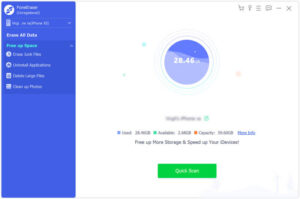
2、Choose Free Up Space, run Quick Scan to detect junk, cache, redundant data
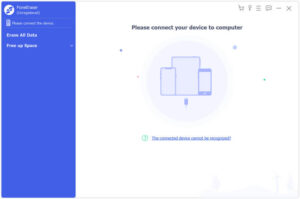
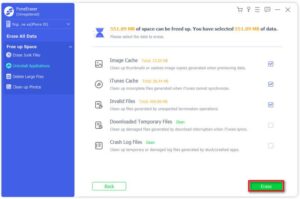
3、One-click Erase Junk Files for deep cleanup of app & system residue
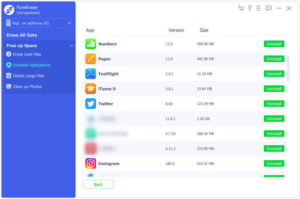
4、Batch Uninstall Unused Apps and delete associated data completely
5、Filter & Delete Large Files (videos, packages, archives), backup optional
6、Optimize Photos: backup & compress / export & delete to free space safely
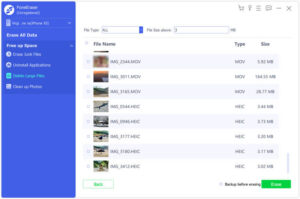
7、Full device wipe: select Erase All Data, set security level, finish permanent erasure
Use iOS built-in tools for daily maintenance; before selling, trading in, or gifting, always use professional software to permanently erase iPhone/iPad data—maximize storage and secure privacy for better performance.
Sorry the comment has been closed.
Copyright © 2025 DatasRecovery All rights reserved.
 iPhone Data Recovery
  iPhone Unlocker
  Android Data Recovery
  Broken Android Data Extraction
  Android Unlocker
  Data Recovery (Windows/Mac)