By Data RecoveryUpdated on March 18, 2026
✅ Perfectly supports the transfer of all types of commonly used data including Android SMS messages, contacts, photos, videos, audio, call logs, voice memos, etc.
✅ Supports cross-platform SMS migration between Android devices, Android to iPhone, and iPhone to Android, with no cross-device barriers.
✅ Can transfer computer files to Android/iOS devices, and also back up SMS messages and other data from Android devices to the computer, providing double protection for data security.
✅ Intuitively view and manage SMS messages and various data in Android phones, and accurately select the SMS content to be transferred.
✅ Comes with powerful ringtone making and HEIC format conversion functions, one tool to meet various mobile phone data processing needs.
Step 1:Free download, install and launch the MobieSync software on your computer, and complete the basic installation operations according to the prompts on the computer screen. The whole process has no complicated steps and can be easily operated by beginners.

Step 2:Connect both the old and new Android devices to the computer with a USB data cable. The software will automatically recognize the two devices and clearly display the basic device information on the operation interface without manual debugging.
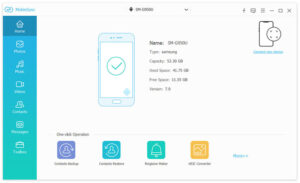
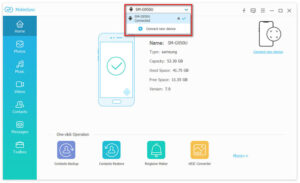
Step 3:Set the old Android phone as the source device, click the device model in the center of the top of the interface, and select the old phone as the source device for SMS transfer from the drop-down list.
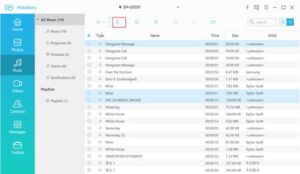
Step 4:The left sidebar of the software will list all files clearly by data category. Click the SMS category, and the right window will display the detailed information of all SMS messages in the old phone in real time, including sending time, contacts, SMS content, etc.
Step 5:In the SMS list of the old phone, check the single or all SMS messages to be transferred, and you can also check other data to be migrated such as contacts and photos at the same time. Click the “Export to Device” button on the interface, and you can one-click copy the selected SMS messages and other data from the old Android device to the new Android device. The whole process does not require a long wait, with efficient transmission and no data loss.


Copyright © 2025 DatasRecovery All rights reserved.
 iPhone Data Recovery
  iPhone Unlocker
  Android Data Recovery
  Broken Android Data Extraction
  Android Unlocker
  Data Recovery (Windows/Mac)